

The Building Blocks of Event-Driven Architecture
Learn how events, producers, brokers, consumers, handlers, and triggers fit together in event-driven software.
How an Event Moves Through a System
How an Event Moves Through a System
Event-driven architecture (EDA) organizes communication around events—records that something meaningful has happened. An event such as OrderPlaced describes a fact, not an instruction telling another component what to do. Events commonly include a type, time, identifier, and relevant data. Treating events as immutable facts helps different consumers interpret the same event consistently.
Following OrderPlaced
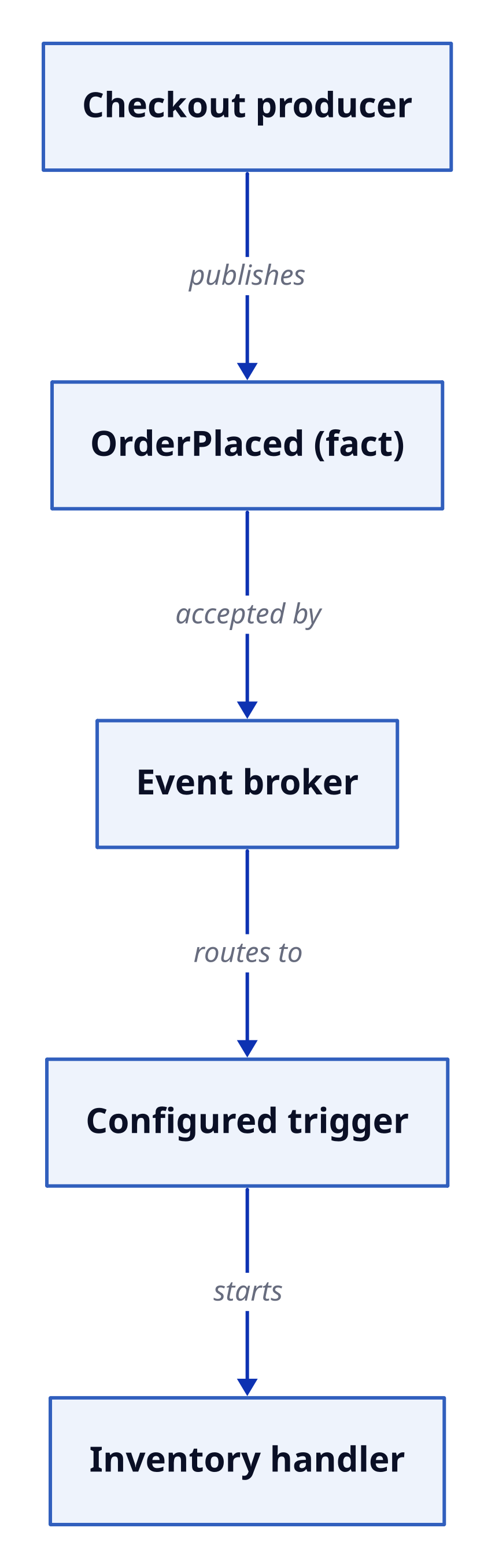
After saving an order, a checkout service publishes an OrderPlaced event. It generally does not need to know which components will respond. An event channel or broker—such as a queue, event bus, or streaming platform—accepts the event and can route or buffer it for consumers. For example, separate inventory, notification, and fulfillment consumers can respond by reserving items, sending a confirmation, and starting shipping work.
Text description
One OrderPlaced route A downward flowchart shows Checkout producer publishing OrderPlaced (fact) to Event broker. The broker routes the event to Trigger, which starts Inventory handler. Layout: down. Checkout producer OrderPlaced (fact) Event broker Configured trigger Inventory handler Checkout producer → OrderPlaced (fact) (publishes) OrderPlaced (fact) → Event broker (accepted by) Event broker → Configured trigger (routes to) Configured trigger → Inventory handler (starts)
A consumer subscribes to, receives, or reads an event and does work in response; several consumers can act on the same event. A handler is the code that processes a particular event. It may be part of a serverless function or a long-running service. A trigger is the configured condition or mechanism that starts a handler—for example, a new queue message, a matching event reaching a bus, or an object being created in storage. The trigger connects an event source to executable code; it is not the event-processing logic itself.
Because the workflow is asynchronous, the producer can continue without waiting for every consumer to finish. Consumers may process the event at different times, so system views can briefly differ. Delivery and repeat handling depend on the system’s design and broker guarantees.