

Data and Information Flows
A lesson on how data becomes useful information, moves through a lifecycle and across system boundaries, and is managed through flow maps and stage-appropriate controls.
From to : The Lifecycle
From recorded values to useful
are recorded values or observations, such as a product code, date, or temperature reading. is organized or interpreted to help with a task. For example, a product code by itself is ; a report that uses product records to show which items need restocking is . The distinction is about how the is organized and used, not simply how much there is.
moves between people, processes, and system components. A basic flow might involve a source (such as a person, form, sensor, or other system), an input , processing, storage, and a destination such as a user, report, or another system. Controls govern matters such as quality, access, movement, and retention. Real flows may branch, repeat, run in parallel, or return to an earlier stage when an error needs correction.
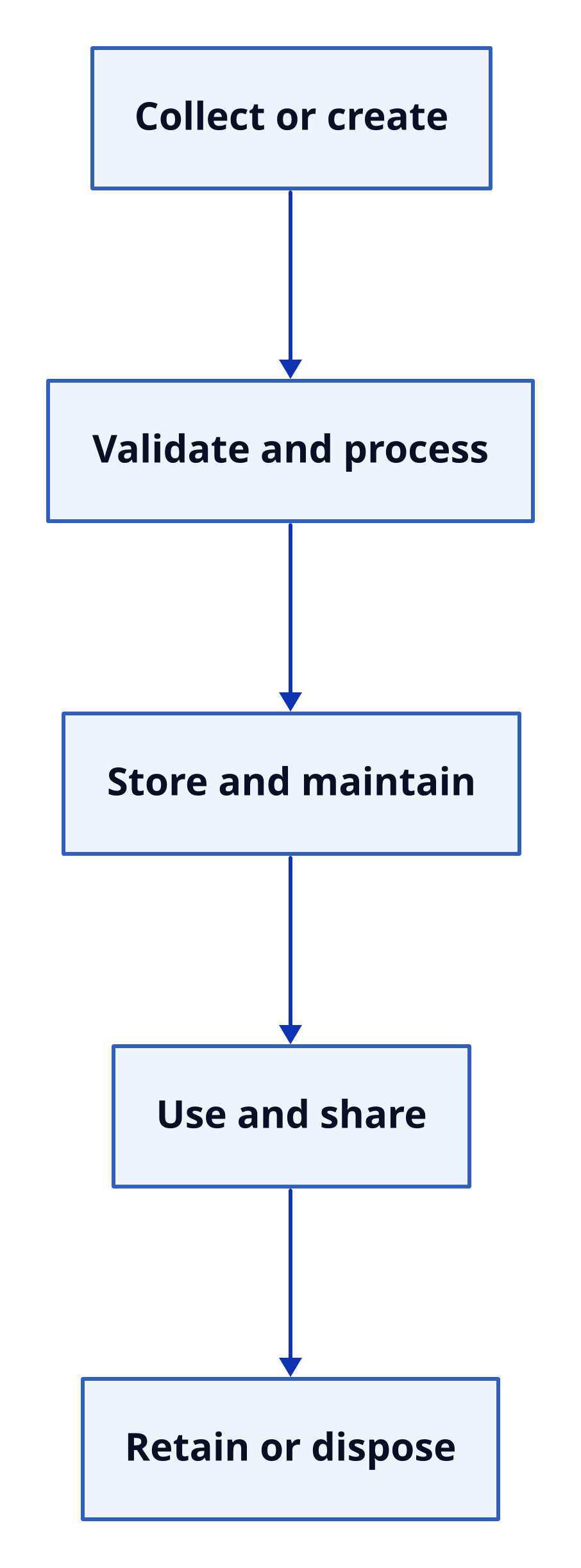
Text description
Data lifecycle Five process boxes arranged downward and connected by arrows: Collect or create; Validate and process; Store and maintain; Use and share; Retain or dispose. Layout: down. Collect or create Validate and process Store and maintain Use and share Retain or dispose Collect or create → Validate and process Validate and process → Store and maintain Store and maintain → Use and share Use and share → Retain or dispose
What happens at each stage?
Collect or create. A system obtains from an authorized source or generates it, for example by recording a transaction. How is collected and in what format affects its usefulness and reliability.
Validate and process. The system checks whether is complete and correctly formatted. It may then clean, sort, calculate, combine, or convert the to produce outputs suited to a task. Keeping enough context to understand how results were produced helps make those outputs interpretable.
Store and maintain. is saved in a suitable location, such as a database or document repository. Organization and metadata help people find it; backups and retention rules help preserve and manage it.
Use and share. People and applications retrieve to carry out work or make decisions. Sharing can take place within one system or across organizational boundaries.
Retain or dispose. may be archived while it remains necessary, then securely deleted or otherwise disposed of according to applicable organizational requirements.
Lifecycle mapping follows each type through these activities. It helps reveal where is created, changed, stored, used, or shared—and therefore where quality, privacy, and security controls may be needed. The lifecycle is not just collection and processing: use, disclosure, transmission, and disposal matter too.
Tracing Flows Across Systems
Follow the handoffs, not just the systems
A is useful when it shows what moves, where it comes from, where it goes, what processing happens along the way, where it is stored, and which people or systems take part in each transfer. It should make the handoffs visible: may pass from an input screen to an application, then to a database and a report. Within a system, components can exchange through function calls, files, queues, or APIs.
Each needs compatible definitions and formats. If one component treats a field differently from another, can be misinterpreted, omitted, or duplicated. The map should also account for flows that branch, repeat, or run in parallel; sometimes returns to an earlier stage for error correction.
Online order: tracing through the flow
Consider the online-order flow. First, a customer submits an order through a website. The ordering application validates the address and product codes, saves the order, and sends the required details to the inventory system. Inventory updates available stock and returns a status. The ordering system then presents confirmation to the customer and may share relevant details with a payment or shipping service.
To map this example, identify the order as the being transferred; the customer as its source; the website and ordering application as the input and processing points; and inventory, the customer, and possibly payment or shipping services as destinations. Include the saved order as a storage location. Each handoff is a separate flow to review. A summary of order volume can also be used as for business planning, distinct from the order record’s immediate operational role.
For transfers between systems, the sender and receiver need agreement on what fields mean, how updates and errors are handled, and which party is responsible for the . An exchange may also need an agreement specifying permitted uses and security requirements. These details make the flow easier to interpret and clarify responsibilities when crosses a system boundary.
Why Flows Matter: Benefits, Risks, and Controls
How mapping supports organizational work
Organizations use flows to coordinate work, automate routine tasks, produce reports, and support planning and decisions. A map helps make those flows understandable. It can reveal where is collected more than once, where manual transfers may introduce errors, and which systems depend on a particular source. This can help people review responsibilities and dependencies rather than treating each application as an isolated unit.
A flow also creates possible points of risk. can be exposed, altered, lost, sent to an unintended destination, or used outside its intended purpose. The map helps identify where moves and where controls may be appropriate; it does not, by itself, prevent those problems.
Match controls to the stage and the risk
Controls should fit the lifecycle stage. For example, validation at entry can help address quality; access limits in storage govern who can use stored ; encryption during transmission protects as it is sent; and retention or deletion rules address what happens at the end of use. These examples address different points in a flow, so a control suited to one stage does not automatically address every risk at another.
A key distinction is between and . governs who or what may use . governs where may travel. For instance, limiting which users or applications can use a record is an access question; restricting which destinations are permitted to receive it is a flow question. The two controls address different concerns and can both matter for the same . -flow controls apply to transfers within a system as well as between connected systems.
Use the map to review the whole path
A practical review follows each type from source to destination, noting processing, storage, and every system or person involved in a transfer. Then consider what the is used for, where it is allowed to travel, and which safeguards are relevant at each stage. Clear maps and agreed formats can support reliable coordination; suitable controls help keep accurate, protected, and sent only where permitted.