

How Organizational Information Systems Work
Learn how an organizational information system combines technology, data, people, and procedures to make recorded facts useful for work and decisions.
More Than Technology
An organizational information system is not just a computer or an application. It is a coordinated set of technology, data, people, and processes that helps an organization handle information in support of its goals. These components work together; the system’s effectiveness depends on how they support one another.
Each component contributes something different:
Hardware and networks let people enter, transmit, and access data.
Software processes data and provides tools for tasks such as recording transactions, reporting, and analysis.
Data consists of recorded facts about activities, resources, customers, suppliers, and results.
People—including employees, managers, customers, suppliers, and technical staff—use or maintain the system.
Processes and procedures set the agreed steps and rules for capturing, handling, protecting, and using information.
In a hypothetical reporting task, software may produce a report, but people need to enter relevant data and follow procedures for recording it. The technology must make the report accessible, and the information must suit the organization’s work. The system’s value comes from how its components work together, not from the technology alone.
From Recorded Facts to Useful Information
Text description
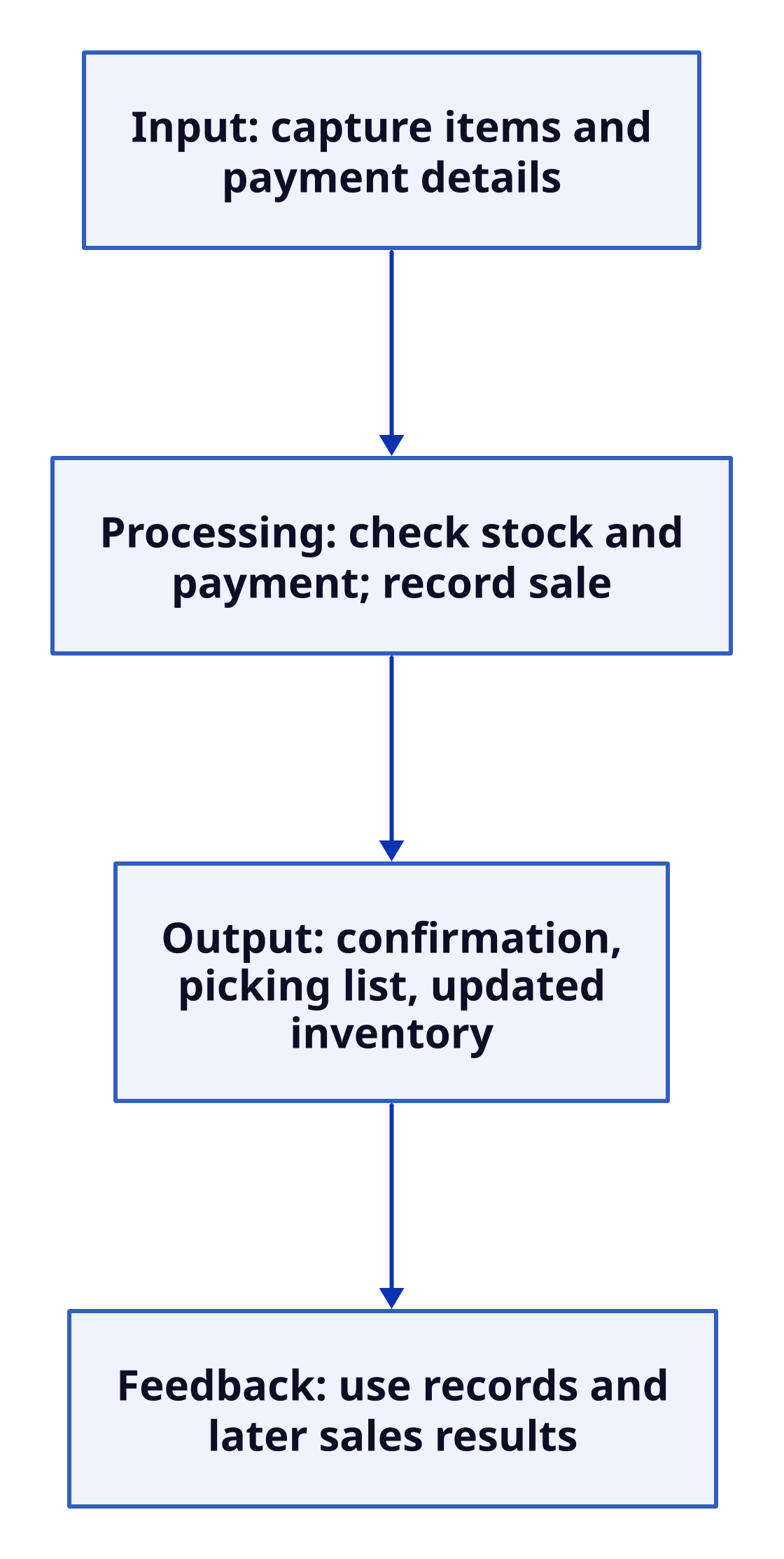
Following an Order A downward flowchart with four connected stages. Input: capture the order’s items and payment details. Processing: check stock and payment, then record the sale. Output: produce an order confirmation, a picking list, and an updated inventory count. Feedback: use updated records and later sales results to guide replenishment or changes to the process. Layout: down. Input: capture items and payment details Processing: check stock and payment; record sale Output: confirmation, picking list, updated inventory Feedback: use records and later sales results Input: capture items and payment details → Processing: check stock and payment; record sale Processing: check stock and payment; record sale → Output: confirmation, picking list, updated inventory Output: confirmation, picking list, updated inventory → Feedback: use records and later sales results
The flowchart shows how recorded facts become useful information. At input, the system captures details of a customer’s order. During processing, it checks stock and payment and records the sale. These steps rely on software and technology, as well as procedures that guide how the order is handled.
The system then produces outputs for different needs: an order confirmation for the customer, a picking list to support fulfillment, and an updated inventory count. Stored records also help information move across roles: one order may require work from inventory, shipping, customer service, and accounting. Shared records and defined procedures help these groups coordinate using consistent information.
Finally, updated records and later sales results provide feedback. The organization can use that information to guide replenishment or consider changes to the process. Thus, a system does more than record facts: it processes, stores, and shares information so people can act and coordinate work. If records are inaccurate or systems are poorly connected, the flow can instead result in delays, duplicate work, or conflicting records.