

Interpreting Malware Indicators and Responding Safely
Learn how to distinguish malware symptoms from investigative indicators, interpret behavioral, host, and network clues in context, and respond to suspected infection while preserving evidence.
Symptoms, Indicators, and Evidence
A describes an effect someone notices; an is a clue that can be examined. A slow computer or crash is a . An unfamiliar process, changed startup setting, or unexpected network connection is an . The distinction is useful, but not absolute: unusual outbound traffic may be both a noticeable effect and a clue for investigation.
Neither category proves malware. Hardware faults, software bugs, and legitimate administrative activity can produce similar observations. Treat a clue as a reason to investigate, not as a verdict.
A careful assessment asks whether the observation differs from a trusted and whether other evidence supports the same concern. For example, a slow computer alone has many possible explanations. If an investigation also finds an unfamiliar process and an unexpected connection, those clues can be compared with normal activity and examined together. Correlation across sources improves confidence, but conclusions still depend on the evidence and context.
Classifying Clues in Context
categories describe where a clue comes from or what it describes; they do not, by themselves, determine whether it is malicious. A single incident may produce clues in several categories. Use the following distinctions to organize an investigation:
| Category | What it describes or where it appears | Examples |
|---|---|---|
| Behavioral | What a program or user does | Unexpected child process; attempts to disable security tools or gain privileges; persistence after restart; rapid file renaming or encryption; repeated beaconing; access to unrelated credentials or data |
| Host-based | Records and artifacts on the affected device | Suspicious executable, location, or hash; unexpected processes or services; startup entries or scheduled tasks; security-setting changes; unusual parent–child relationships or script execution; repeated authentication failures; altered files; unexpected listening port or external connection |
| Network | DNS, firewall, proxy, intrusion-detection, or traffic records | Repeated connections to unfamiliar or known-malicious destinations, or repeated attempts; unusual outbound data volume; unexpected protocols or ports; traffic between devices that do not normally communicate; unusual DNS requests; regular-interval communication; traffic inconsistent with a device’s role |
Interpret each clue in context and look for corroboration. A document or browser unexpectedly launching a command interpreter is a behavioral clue. It becomes more concerning if an unknown process launches immediately after an unexpected attachment is opened, because the timing does not fit ordinary work. That sequence is still a reason to investigate, not proof on its own.
Host evidence can help explain what happened: inspect relevant process and service records, logs, startup configuration, installed applications, and endpoint-protection alerts. A familiar filename does not guarantee that a file is legitimate.
Network evidence also needs context. Repeated connections to an unfamiliar destination, regular-interval communication, or unusual outbound data volume may warrant investigation. But a domain or IP reputation alone is insufficient: addresses can change ownership or be shared by legitimate services. Compare network records with normal activity and host details, including the process and account responsible for the connection. Related clues across behavior, host, network, and account records provide a stronger basis for assessment than any one artifact or label.
Responding to Suspected Malware
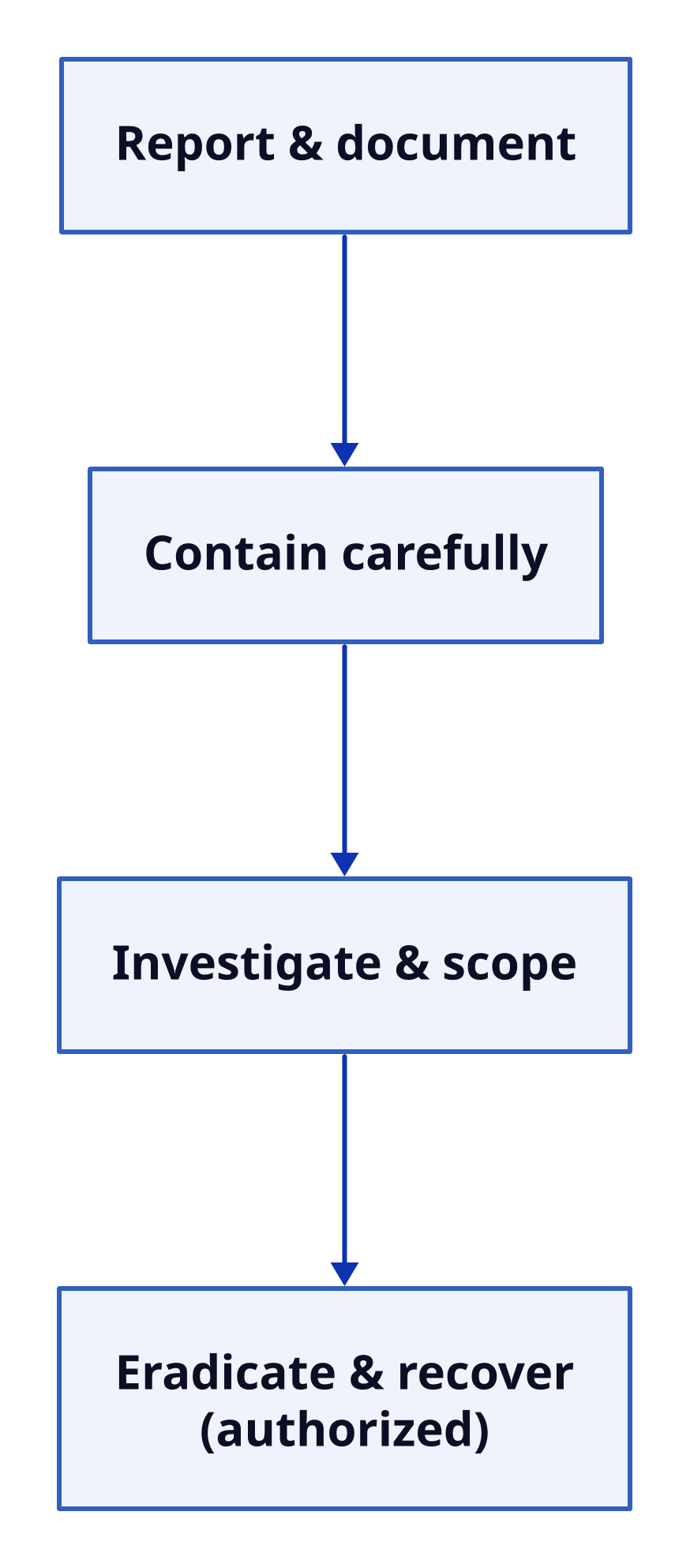
If malware is suspected, use the organization’s response process rather than improvising. The broad sequence is to report and document, contain carefully, investigate and scope, then eradicate and recover under authorization.
Text description
Response sequence Four ordered steps connected from top to bottom: Report and document; Contain carefully; Investigate and scope; Eradicate and recover (authorized). Layout: down. Report & document Contain carefully Investigate & scope Eradicate & recover (authorized) Report & document → Contain carefully Contain carefully → Investigate & scope Investigate & scope → Eradicate & recover (authorized)
Report and document: promptly notify the organization’s IT or security team. Record what was observed and when, including alerts, affected devices and accounts, and recent user actions. Do not delete files or run cleanup tools before responders assess the evidence; doing so may interfere with investigation.
Contain carefully: follow the incident-response plan. Security staff may isolate a device or network segment to limit spread and data loss, but the right action depends on operational needs and evidence-preservation requirements. Do not power off or disconnect a managed system on your own unless policy or responders direct you to.
Investigate and scope: correlate host, network, and account records to identify likely activity, affected systems, and possible exposure. Preserve relevant logs and other evidence.
Eradicate and recover under authorization: responders remove malware and persistence, address exploited weaknesses, and restore systems using trusted methods. They may reset potentially exposed credentials and add monitoring as appropriate. Finally, confirm that systems operate normally and watch for renewed activity.
: A clue describing what a program or user does, often across a sequence of events.
: A clue found on the affected device, such as in its logs, files, processes, or endpoint alerts.
: A clue found in DNS, firewall, proxy, intrusion-detection, or network-traffic records.
: Determining the likely activity, affected systems, and possible exposure from available records.
: Removing malware and persistence, addressing exploited weaknesses, and restoring systems using trusted methods under authorization.